Delete your account
Three taps in the app. Here’s how, and what happens next.
Last updated: 16 October 2026In the app
The same steps work in the Android and iPhone app and on app.gettaive.com.
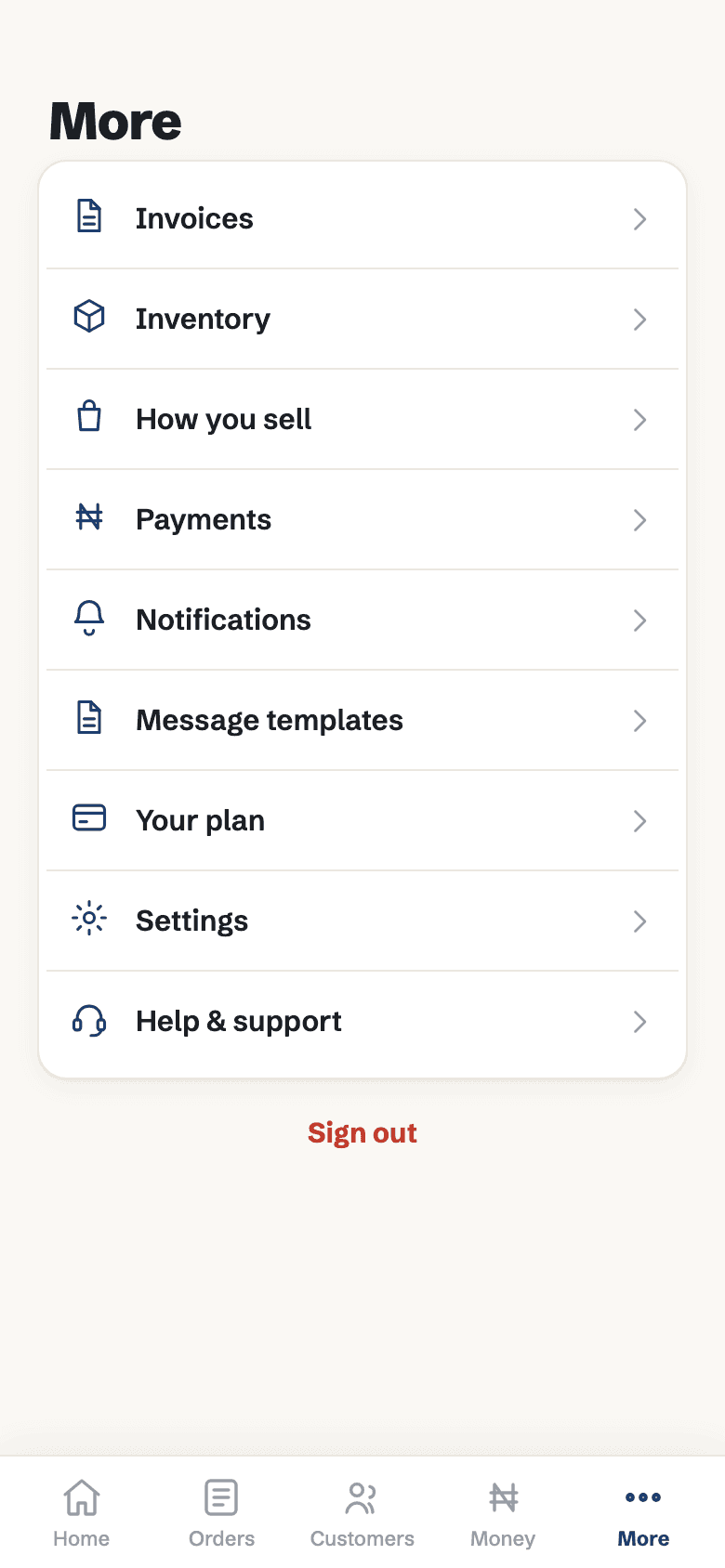 1Open More, then Settings
More is the last tab in the bottom bar.
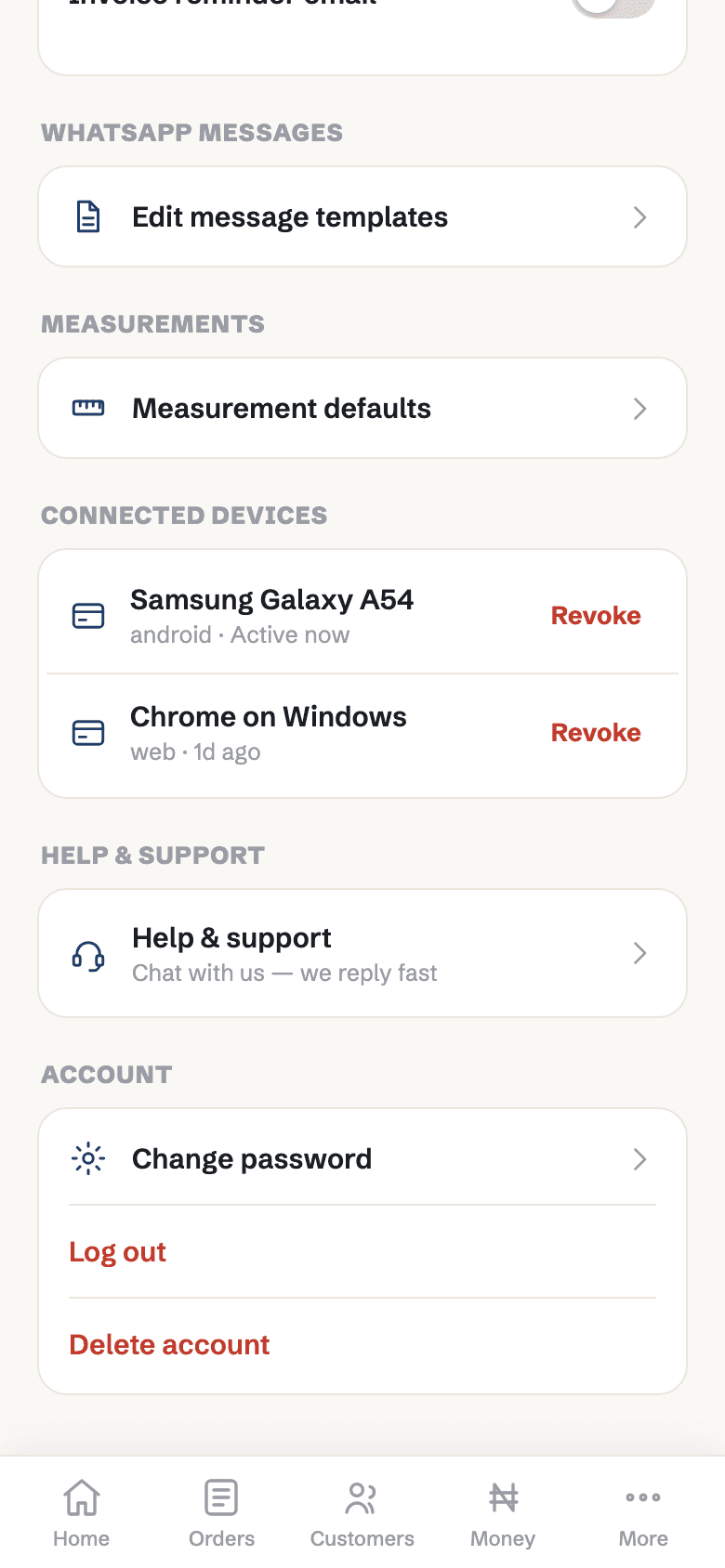 2Tap Delete account
It's at the very bottom of Settings.
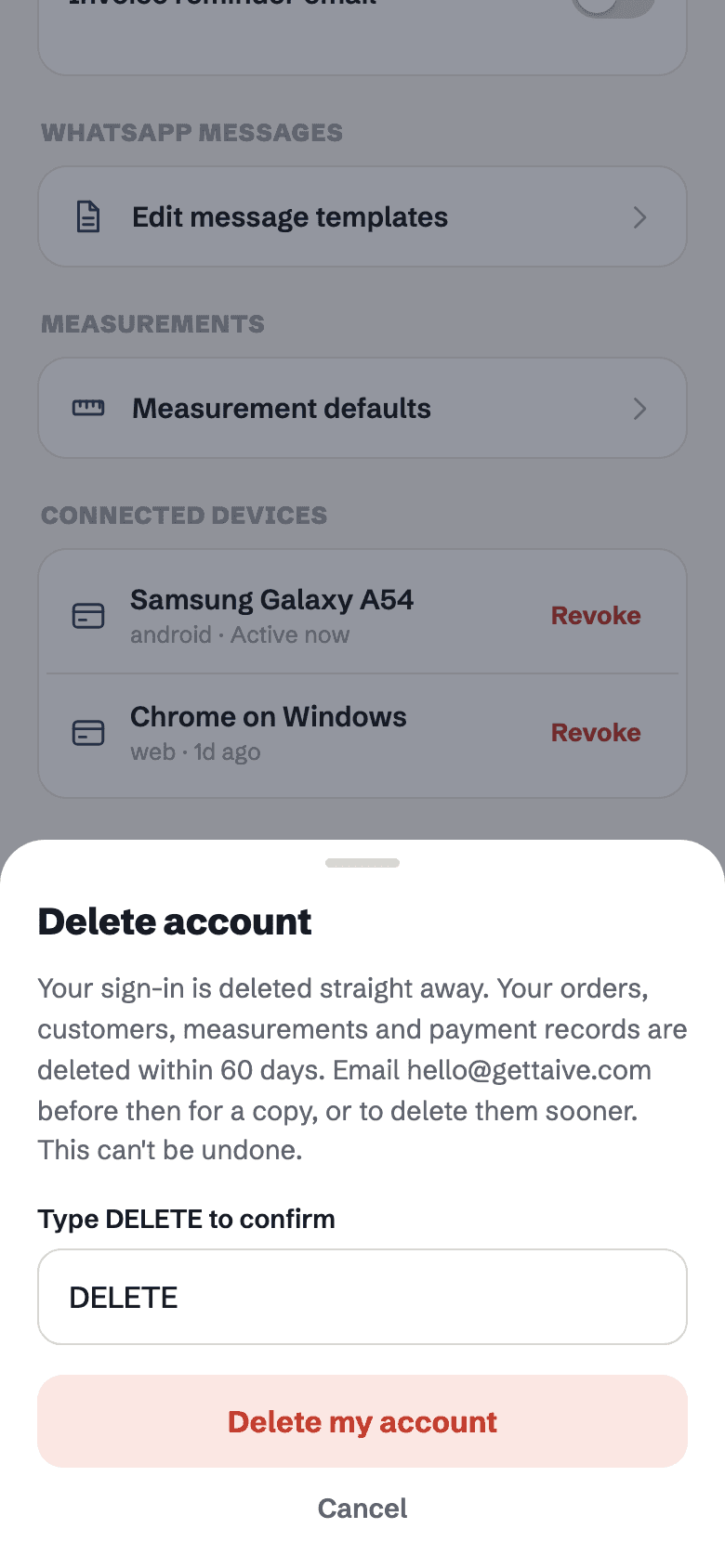 3Type DELETE to confirm
Then tap Delete my account. You're signed out straight away.
Paying for a plan? Deleting your account also cancels your plan. You won’t be charged again. Unused days aren’t refunded.
What happens next
Your sign-in is deleted. Nobody can sign in to the account again.
Everything else is deleted — customers, measurements, orders, photos, payments, invoices and inventory. Until then it’s hidden, so you can ask us for a copy.
Email us after deleting your account and we’ll delete it straight away.
We may keep records the law requires, such as payment and tax records.
No longer have the app?
Email [email protected] from the email you sign in with, and tell us your business name. Use the same address to ask for a copy of your data, or for it to be deleted straight away.